Solutions

Find the step that loses the sale.

How Ollie works at each step of the purchase, with screens from live stores. The logos open each case.

Fraud prevention

Fraud slips through rules that don’t see the cart: a gift card paired with an instant payment, or an order the store can’t accept. Ollie runs your rules in checkout, before payment, and blocks only the combination that carries the risk.

  • Rules that read the cartCombinations like a gift card with Pix, or a marketplace item with a company tax ID, are checked before payment.
  • Block only what carries riskThe rest of the order goes through, and the shopper sees which option is off and why.
  • Your provider keeps the decisionOllie’s filters run first; your anti-fraud provider still approves the payment.
See the cases


Payments

A discount that shows too late, a total covered on mobile, a card stuck in another app: the payment step is where most purchases are lost. Ollie puts the best price and the shopper’s own ways to pay in front of them from the cart on.

  • Pix price from the cartThe total with the Pix discount is the main price from the first screen.
  • Wallets one tap awayApple Pay, PayPal and Google Pay in the cart, without a form.
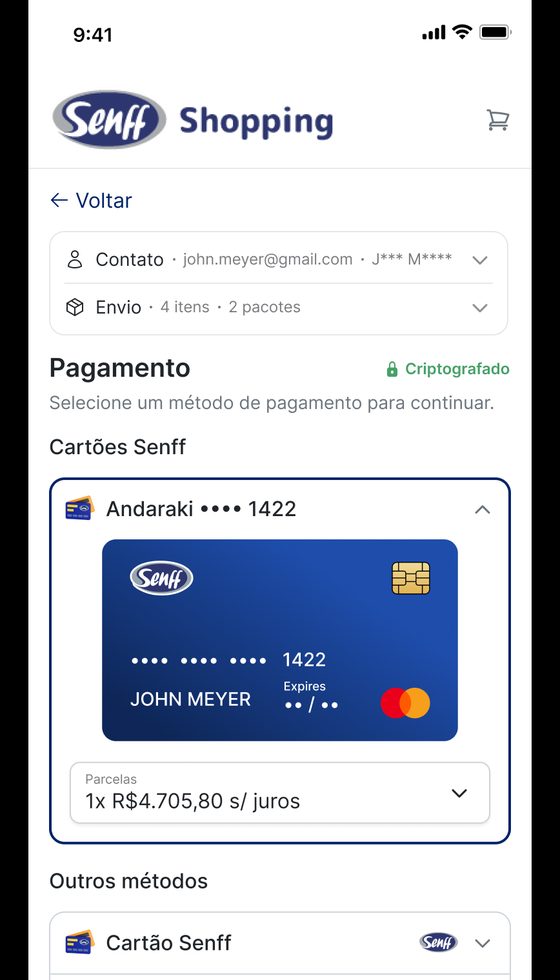
  • Saved cards from the issuerBank cards load in checkout through a token, with no copy and paste.
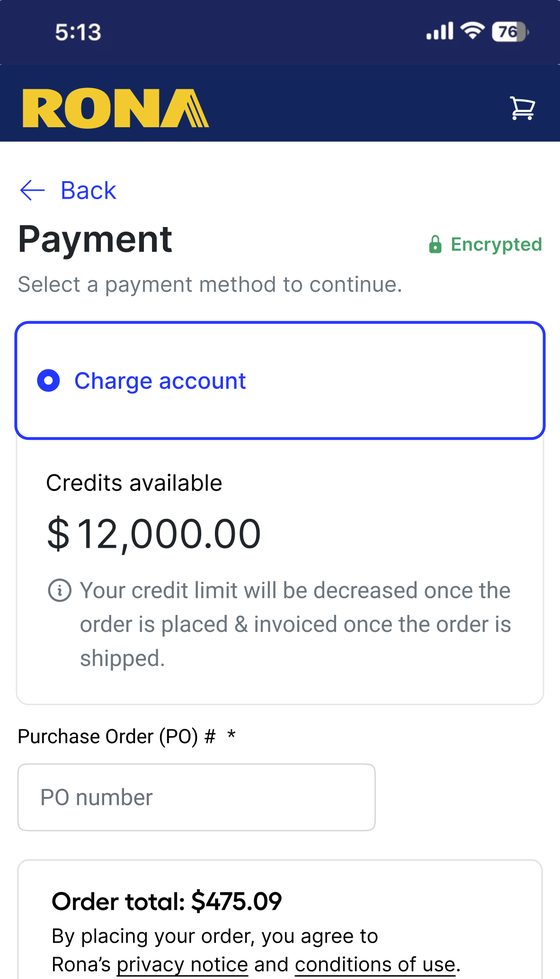
  • Payment on credit for B2BNet terms and purchase orders for approved accounts.
  • A second try after a failureIf payment fails, the shopper returns to the same order and tries again.
See the cases

Loyalty

Shoppers already earned vouchers, points and VIP prices, but those live in an app or a member area. Ollie shows them in the cart and applies them where the shopper buys.

  • Vouchers and stamps in the cartClub vouchers and completed stamp cards apply with one tap.
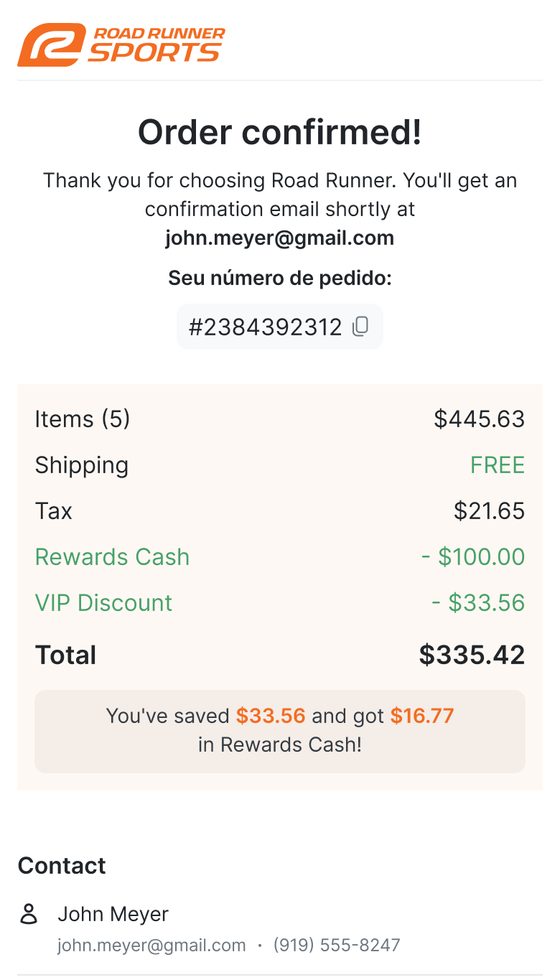
  • Points and cashback in the totalShoppers see the balance and use it to pay part of the order.
  • Member prices and the join offerMembers see their price on each item; guests see what joining would save.
  • Tier upgrades at the right momentHigher tiers are offered at checkout, when the savings are concrete.
See the cases

Pricing and coupons

Nobody should need to know a code to get a discount. Ollie shows the valid coupons in the cart and at payment, and applies the right price for each shopper.

  • Valid coupons on displayIn the cart and at payment, with eligible items tagged.
  • Coupons from your CDPPersonalized by segment and campaign, without leaving checkout.
  • The right price for each shopperMember, VIP and account prices apply automatically.
  • Promotions run by marketingCoupon rules and promotions are created and scheduled in Ollie Admin, without a dev cycle.
See the cases

Delivery

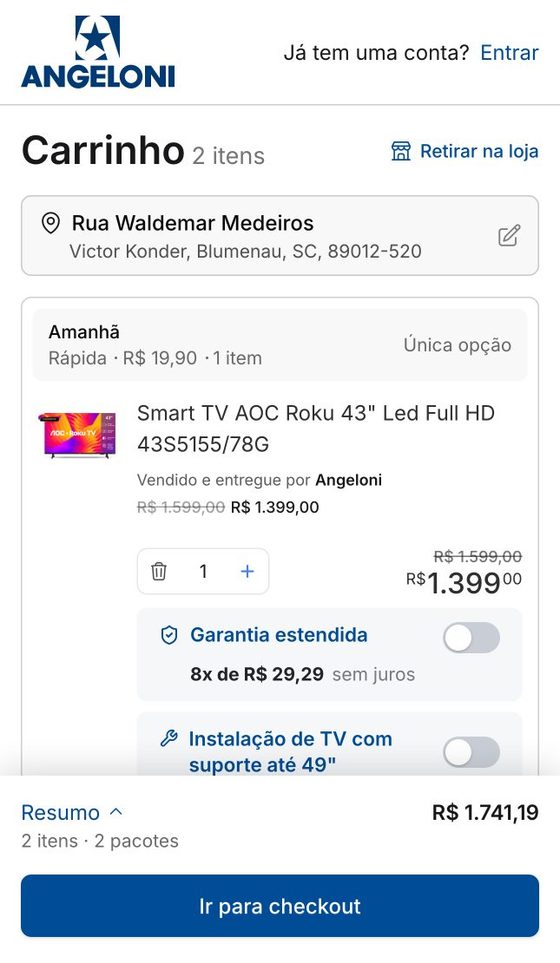
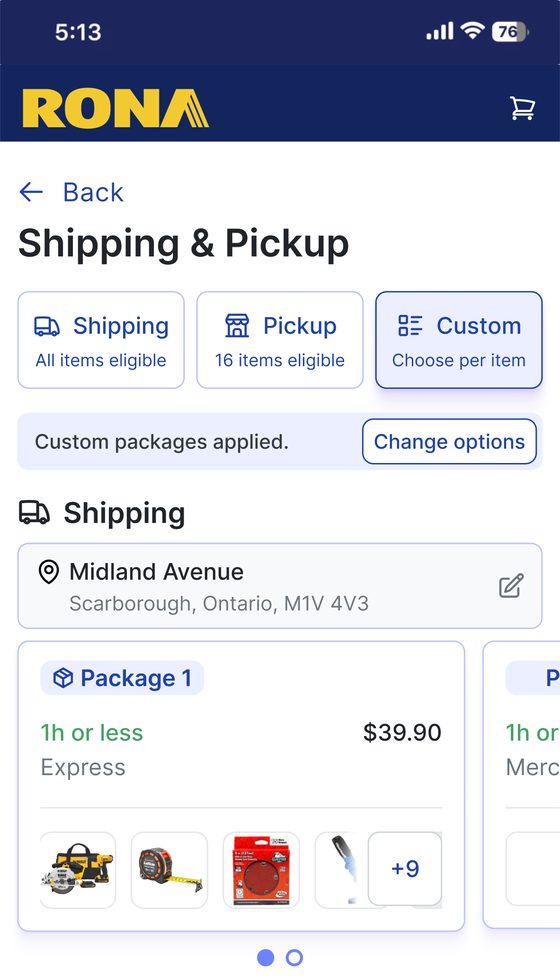
When a cart mixes sellers, formats or branches, one delivery date is not enough. Ollie shows date, fee and pickup for each package before the shopper commits.

  • Packages with their own dateEach seller, branch or format becomes a package with its date and fee.
  • A date, not business daysOptions show the arrival day and the cutoff for express shipping.
  • Pickup at the nearest storeSuggested automatically, and used when delivery isn’t available.
  • Scheduled B2B deliveryDeliveries scheduled and synced with the company’s fleet system.
See the cases

Subscriptions

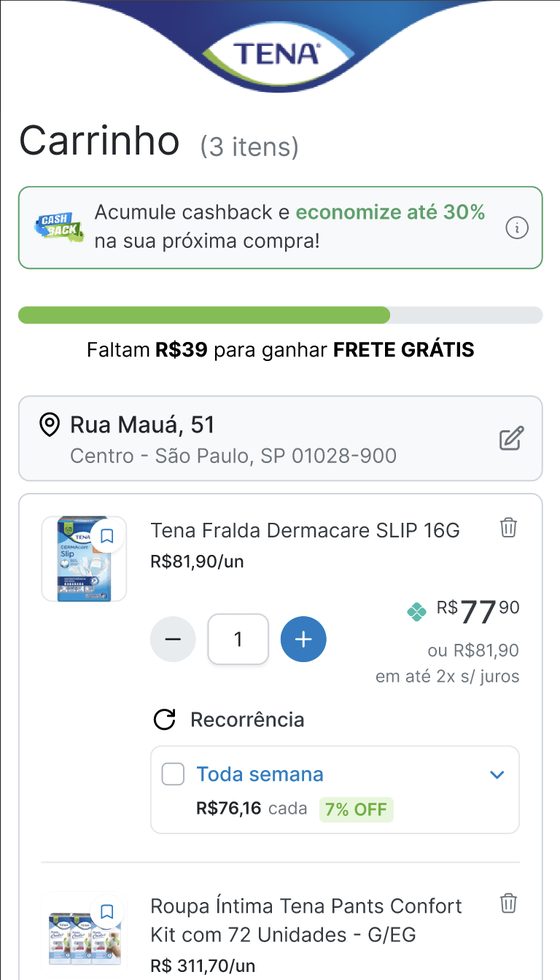
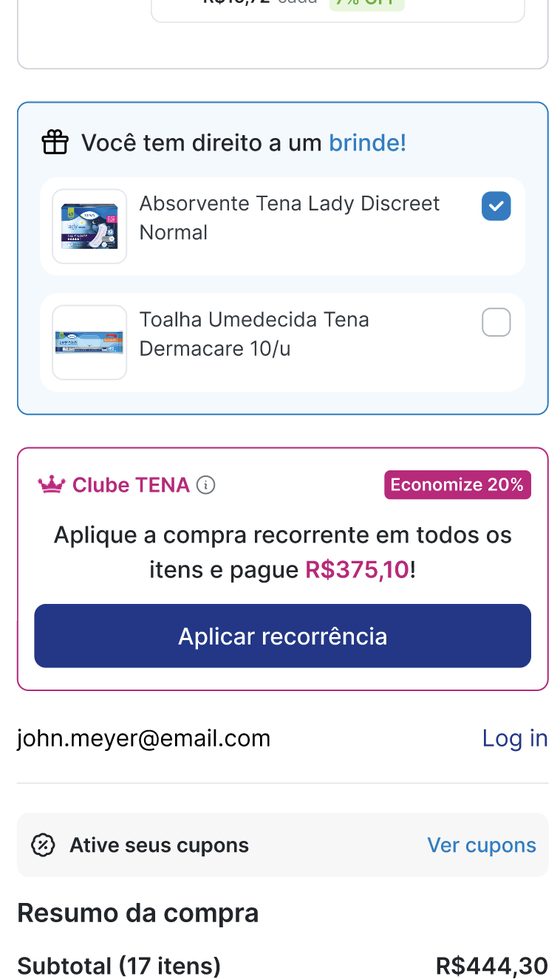
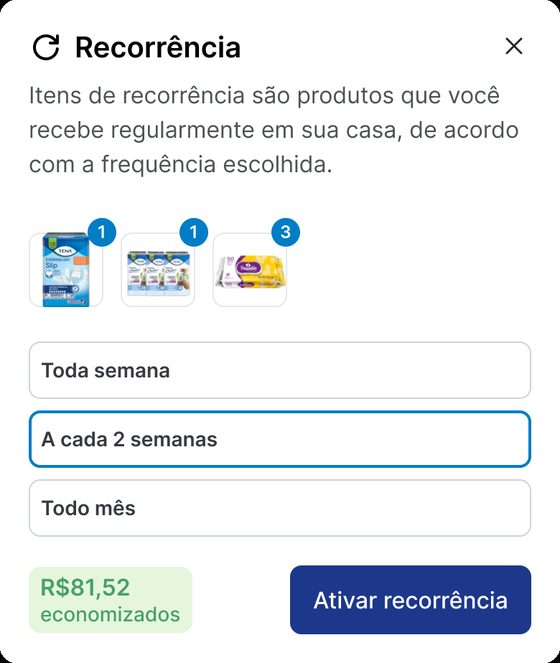
A subscribe offer on a separate page is easy to miss. Ollie brings it into the cart, the sidebar and the payment step, on the products people buy again.

  • Offers where people decideSubscription prompts in modals, cart lines and the checkout sidebar, tested by placement.
  • Frequency chosen in the cartThe shopper picks how often the item comes back without leaving the purchase.
  • Incentives that add upCashback, coupons and a gift the shopper chooses reinforce the decision to subscribe.
See the cases
Get started

See it on your store.

We map your shopper profiles and show where Ollie would change the purchase, on your own store.

Book a demoSee all cases