Industries

Built for how your industry sells.

How Ollie works in each industry, with screens from live stores. The logos open each case.

Grocery

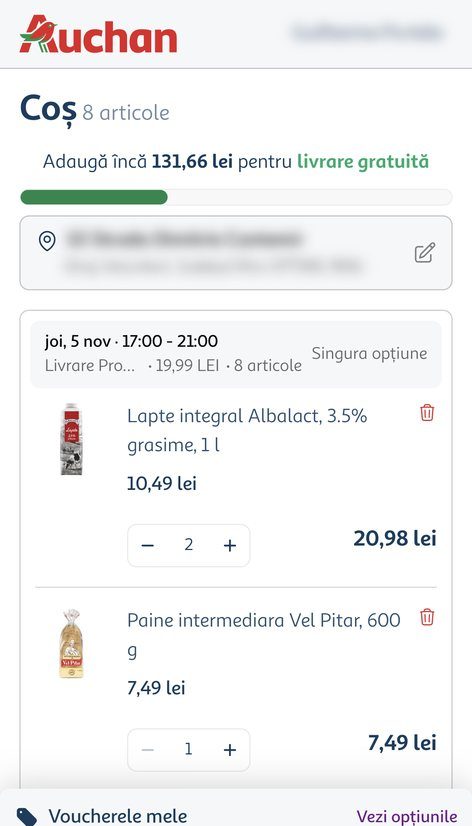
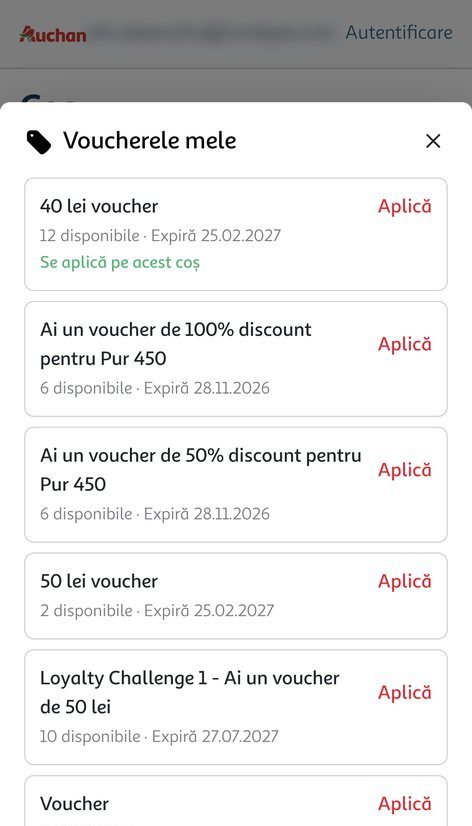
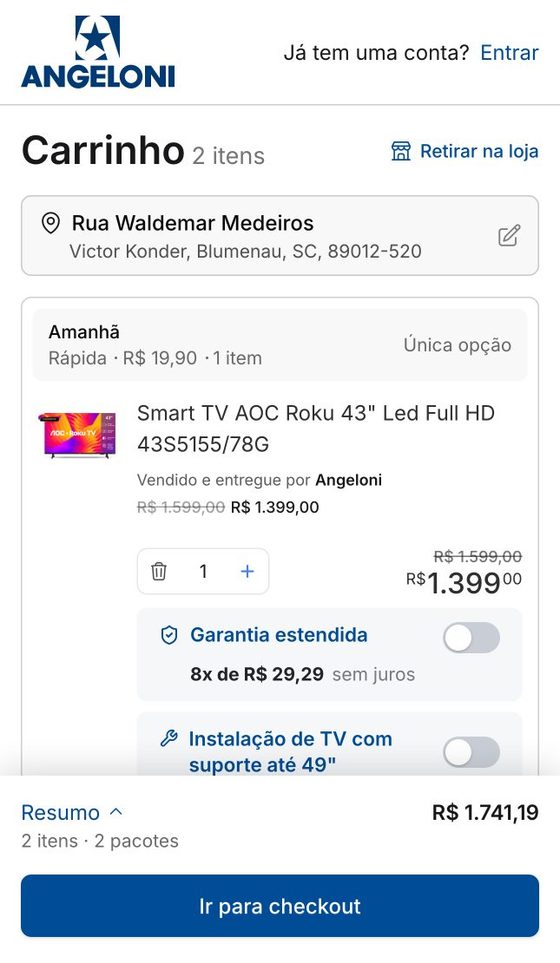
Grocery shoppers buy the same basket every week, choose a delivery slot and often pick up in store. Club members carry vouchers, stamps and points they forget to use, and the cart is where that value should show up.

  • Club vouchers in the cartVouchers from the shopper’s wallet are listed in the cart and apply with one tap.
  • Stamps and points in the totalCompleted stamp cards turn into discounts, and points can pay part of the order.
  • Delivery slot and free-delivery barDate and time window show in the cart, with how much is left for free delivery.
  • Pickup with the store already chosenThe store picked on the site arrives preselected, with no delivery fee.
See the cases


Pharma

A pharmacy checkout follows rules no other retailer has: benefit programs, prescriptions and medicines that only some stores carry. When a change in the cart moves the order to another seller, a key product can drop out without the shopper noticing.

  • PBM discounts that holdThe pharmacy benefit (PBM) discount is applied in the cart and kept until the order is placed.
  • Prescriptions inside the purchaseItems that need a prescription ask for it in checkout, without sending the shopper elsewhere.
  • Priority for key productsWhen the seller changes, rules keep the priority product in the cart instead of losing it.
  • Seller by distanceEach order goes to the nearest store that can fulfill it, for faster delivery or pickup.
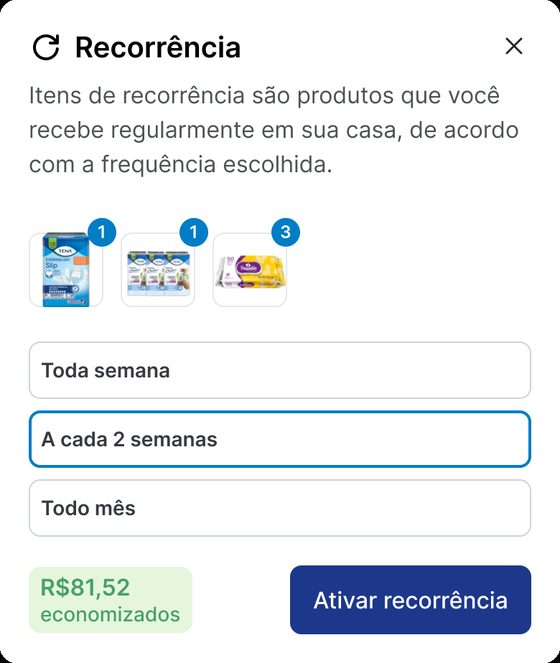
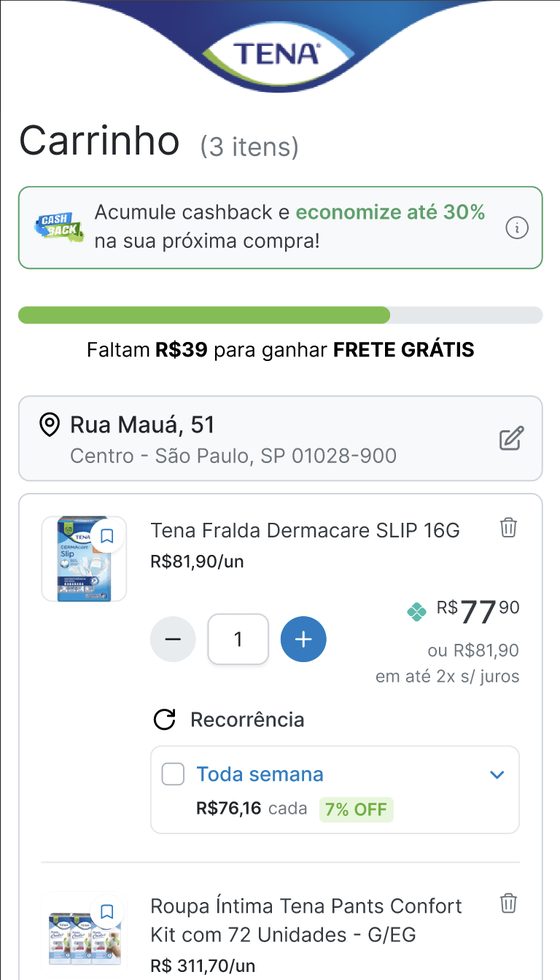
  • Pix price and subscriptionsThe Pix total is the main price from the cart, and recurring items offer a subscription.
See the cases
Marketplace

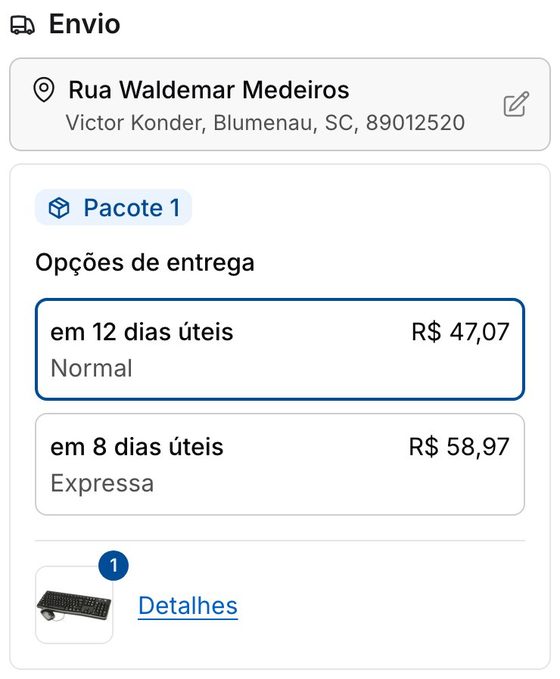
A marketplace cart mixes your own stock with partner sellers, and each one ships on its own terms. Shown as one list, the shopper only finds out at the end that items arrive on different days, with different fees.

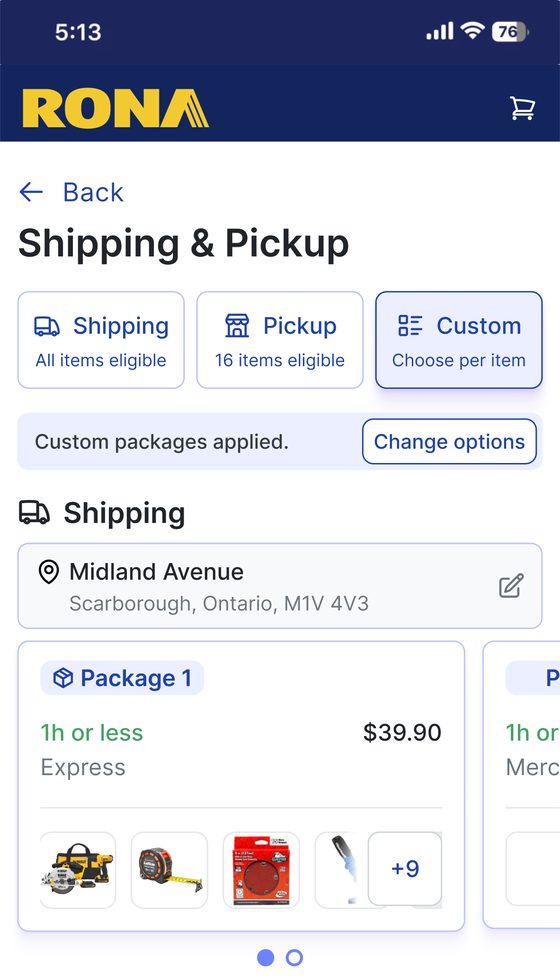
  • Packages by sellerThe cart splits into packages, each showing who sells it, when it arrives and what it costs.
  • Pickup only where it fitsEligible items go to pickup at the nearest store; the rest stays on delivery.
  • Coupons the shopper can seeValid coupons show up in the cart and at payment, with eligible items tagged.
  • Mobile firstSummary and buy button stay in view at every step.
See the cases

Sporting goods

Sporting goods sell to members who expect their perks and to first-time buyers on mobile who want to pay fast. Both drop off when perks hide in a member area or the payment bar covers the total.

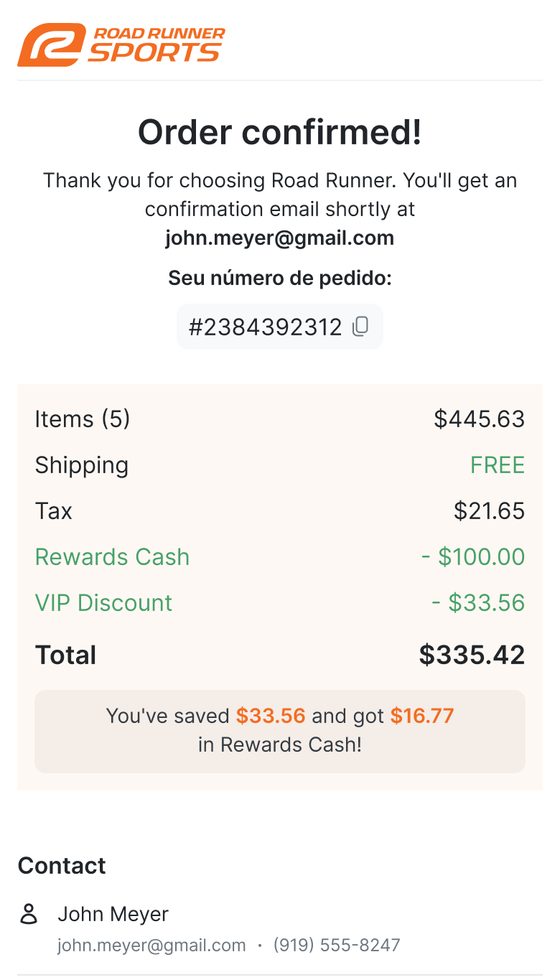
  • VIP pricing on every itemMembers see their price and a savings line; guests see what they would save by joining.
  • Rewards balance in checkoutEarned cash shows up and applies without leaving the flow.
  • Wallets in the cartApple Pay and PayPal straight from the cart, without typing an address or card.
  • A date instead of business daysEach shipping option shows the arrival day and the cutoff for overnight.
See the cases

Financial services

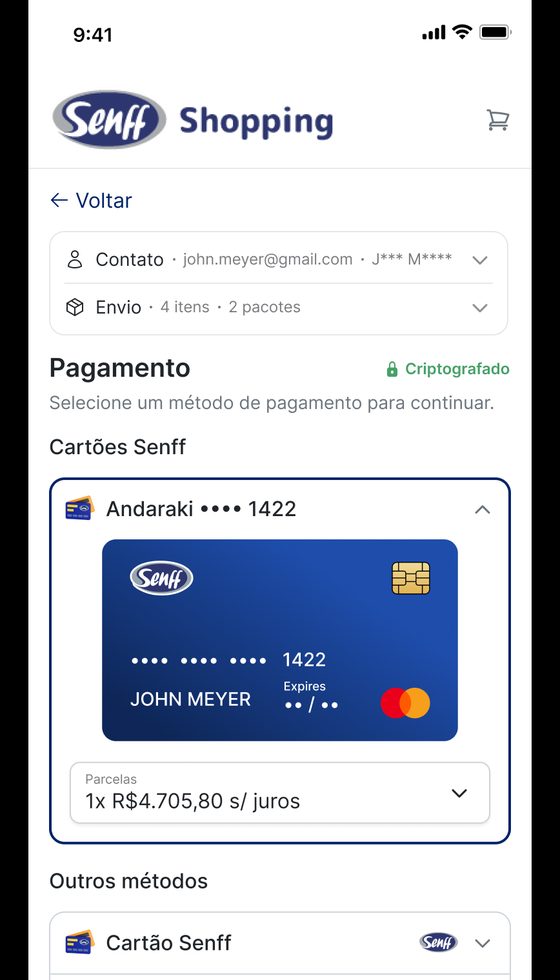
When a bank or card issuer runs a store, its own card should be the easiest way to pay. Most stores can’t read the bank’s session, so customers leave checkout to generate and copy a virtual card.

  • Customer already identifiedAn active app session carries into checkout, with no new login.
  • Cards from the bank’s vaultA token issued by the bank lists the customer’s cards in checkout, ready to pick.
  • Card conditions in the totalSpecial prices for the bank’s own card show where the customer pays.
  • One slot for any walletLoyalty programs or wallets that already know the customer can use the same flow.
See the cases

B2B

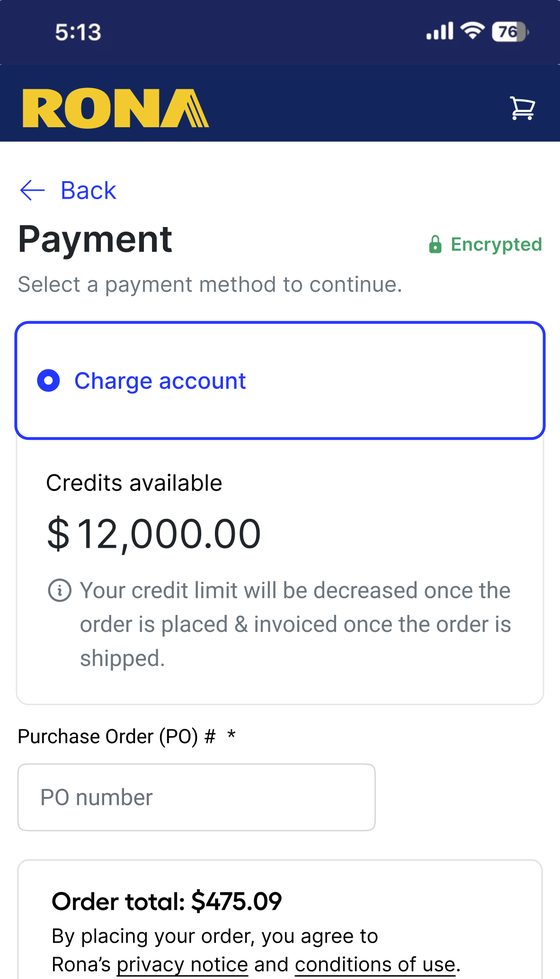
Every account has its own prices, credit terms and delivery rules. Ollie applies them in checkout and shows each item’s delivery window and stock before the order goes in.

  • Rules per account and cost centerPrices, payment methods and credit limits apply for each branch or buyer.
  • Purchase on creditNet terms, purchase order numbers and invoicing, connected to the company’s credit systems.
  • Split and scheduled deliveryMixed orders split into scheduled deliveries and pickups, synced with the fleet system.
  • Fulfillment by item typeDigital, print and shipped items appear separately, each with its delivery window.
See the cases
Get started

See it on your store.

We map your shopper profiles and show where Ollie would change the purchase, on your own store.

Book a demoSee all cases